

02 Apr CSS flex-flow Property
The flex-flow property is a shorthand for both the flex-direction and flex-wrap properties. In the example below, we have set:
- The row value of the flex-direction property displays the flex items horizontally. It will be visible from left to right.
- The flex items to wrap using the wrap value of the flex-wrap
Let us see an example:
<!DOCTYPE html>
<html>
<head>
<style>
.container {
  display: flex;
  flex-flow: row wrap;
  background-color: orange;
}

.container div {
  width: 100px;
  background-color: white;
  border: 2px solid blue;
  margin: 10px;
  padding: 10px;
  font-weight: bold;
}
</style>
</head>
<body>
<h1>Flexbox with six items</h1>
<p>The flex items will wrap, and will be visible horizontally, from left to right:</p>
<div class="container">
  <div>Flex Item 1</div>
  <div>Flex Item 2</div>
  <div>Flex Item 3</div>
  <div>Flex Item 4</div>
  <div>Flex Item 5</div>
  <div>Flex Item 6</div>
</div>
</body>
</html>
Output
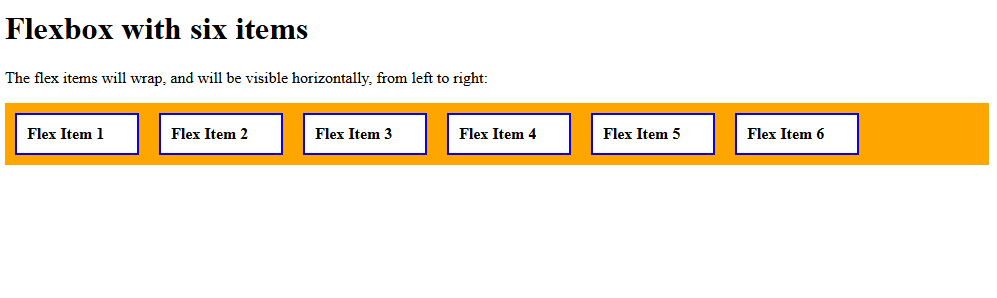
Let us now resize the window. The flex items will wrap and will be visible horizontally, from left to right:

If you liked the tutorial, spread the word and share the link and our website, Studyopedia, with others.
Read More:

No Comments