

02 Apr Display Flex in CSS – Create a Flex Container
The display property defines the element as a flex container (display: flex or inline-flex). This enables flexbox layout for its children.
Let us see an example to create a flex container:
Create a Flex Container with Four Flex Items
In this example, we will create a flex container with an orange background color. Also, this flex container includes four flex items with white color.
Flexbox has a parent element where display: flex is applied. The direct child elements of the flex container, i.e., <div> here, automatically become flex items.
Let us see the example:
<!DOCTYPE html>
<html>
<head>
<style>
.container {
  display: flex;
  background-color: orange;
}

.container div {
  background-color: white;
  border: 2px solid blue;
  margin: 10px;
  padding: 10px;
  font-weight: bold;
}
</style>
</head>
<body>
<h1>Flexbox with four flex items</h1>
<div class="container">
  <div>Flex Item 1</div>
  <div>Flex Item 2</div>
  <div>Flex Item 3</div>
  <div>Flex Item 4</div>
</div>
</body>
</html>
Output
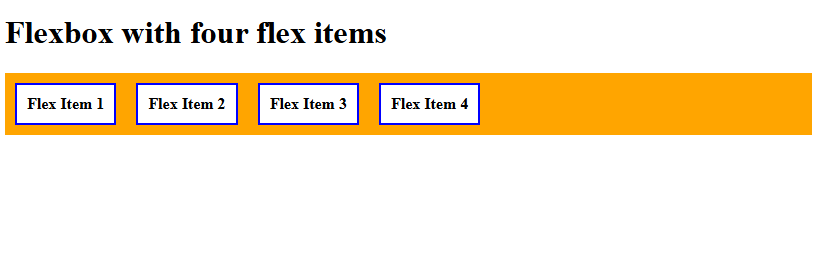
If you liked the tutorial, spread the word and share the link and our website, Studyopedia, with others.
Read More:

No Comments