

31 Mar CSS Combinators
CSS combinators define relationships between selectors, allowing you to target elements based on their position in the document tree. The four main combinators are:
- Descendant (space): Selects all elements that are descendants (children, grandchildren, etc.) of a parent
- Child (>): Selects only direct children of a parent
- Adjacent (next) sibling (+): Selects the element immediately following another
- General (subsequent) sibling(~): Selects all siblings after a given element
Let us understand them one by one:
Descendant Combinator (space)
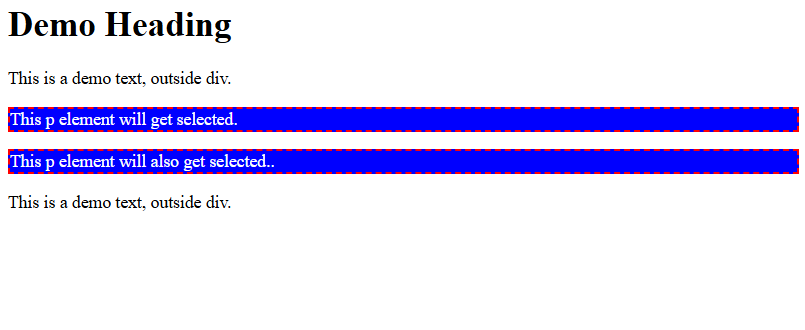
The descendant combinator matches all elements that are descendants (children, grandchildren, etc.) of a parent.
Let us see an example to select all <p> elements inside <div> using div p:
<!DOCTYPE html>
<html>
<head>
<style>
div p {
  background-color: blue;
  color: white;
  border: 2px dashed red;
}
</style>
</head>
<body>

<h1>Demo Heading</h1>

<p>This is a demo text, outside div.</p>
<div>
  <p>This p element will get selected.</p>
  <p>This p element will also get selected..</p>
</div>

<p>This is a demo text, outside div.</p>

</body>
</html>
Output
Child Combinator (>)
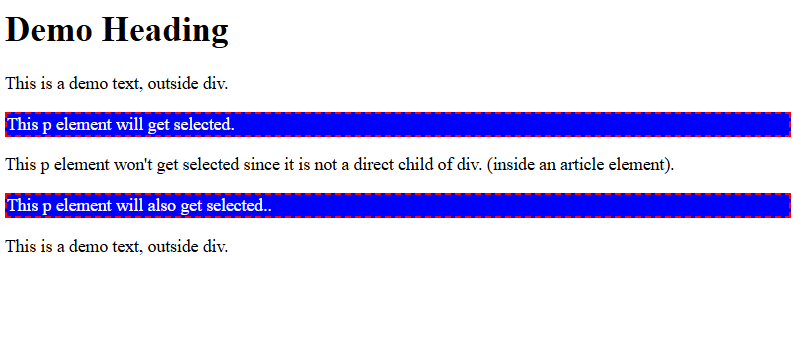
The child combinator selects only direct children of a parent.
Let us see an example to select all <p> elements that are direct children of <div> using div > p:
<!DOCTYPE html>
<html>
<head>
<style>
div > p {
  background-color: blue;
  color: white;
  border: 2px dashed red;
}
</style>
</head>
<body>

<h1>Demo Heading</h1>

<p>This is a demo text, outside div.</p>
<div>
  <p>This p element will get selected.</p>
  <article>
    <p>This p element won't get selected since it is not a direct child of div. (inside an article element).</p>
  </article>
  <p>This p element will also get selected..</p>
</div>

<p>This is a demo text, outside div.</p>

</body>
</html>
Output
Adjacent (Next) Sibling combinator (+)
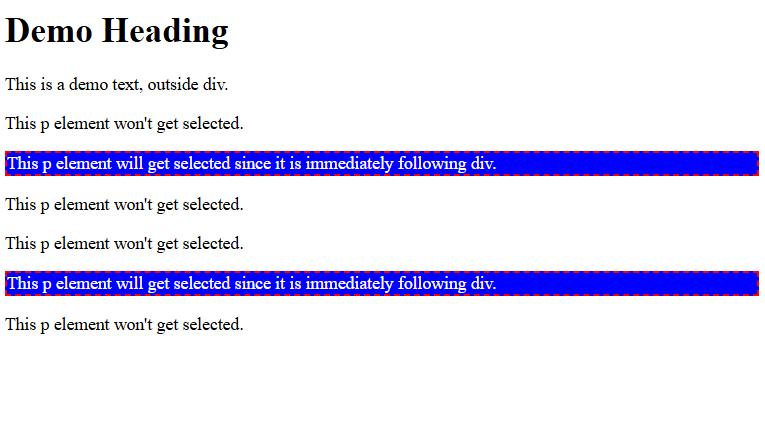
The next sibling combinator selects the element immediately following another. Let us see an example that selects the first <p> element that immediately follows a <div> using div + p:
<!DOCTYPE html>
<html>
<head>
<style>
div + p {
  background-color: blue;
  color: white;
  border: 2px dashed red;
}
</style>
</head>
<body>

<h1>Demo Heading</h1>

<p>This is a demo text, outside div.</p>
<div>
  <p>This p element won't get selected.</p>
</div>

<p>This p element will get selected since it is immediately following div.</p>
<p>This p element won't get selected.</p>

<div>
  <p>This p element won't get selected.</p>
</div>

<p>This p element will get selected since it is immediately following div.</p>
<p>This p element won't get selected.</p>

</body>
</html>
Output
General (Subsequent) Sibling (~)
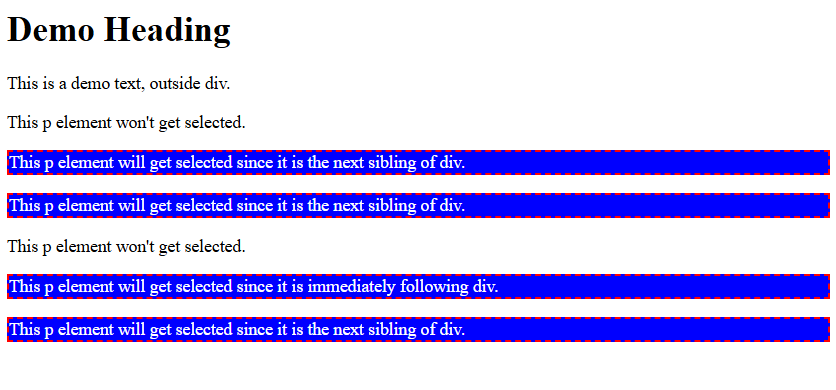
The subsequent sibling selects all siblings after a given element.
Let us see an example to select all <p> elements that are next siblings of <div>, and share the same parent using div ~ p::
<!DOCTYPE html>
<html>
<head>
<style>
div ~ p {
  background-color: blue;
  color: white;
  border: 2px dashed red;
}
</style>
</head>
<body>

<h1>Demo Heading</h1>

<p>This is a demo text, outside div.</p>
<div>
  <p>This p element won't get selected.</p>
</div>

<p>This p element will get selected since it is the next sibling of div.</p>
<p>This p element will get selected since it is the next sibling of div.</p>

<div>
  <p>This p element won't get selected.</p>
</div>

<p>This p element will get selected since it is immediately following div.</p>
<p>This p element will get selected since it is the next sibling of div.</p>

</body>
</html>
Output
If you liked the tutorial, spread the word and share the link and our website, Studyopedia, with others.
Read More:

No Comments