

23 Apr Matplotlib – Add a super title for multiple plots in a figure
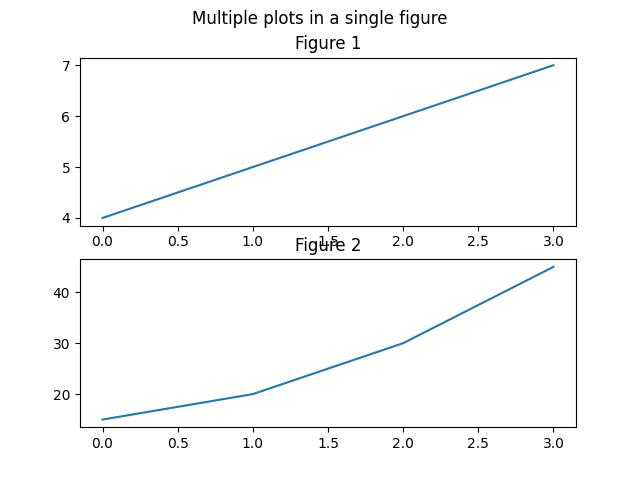
In Matplotlib, add a super title for multiple plots in a figure using the plt.suptitle() function. For multiple plots, we have used the plt.subplot() function.
Let us see an example:
# Add a super title for multiple plots in a figure

import matplotlib.pyplot as plt
import numpy as np

# Plot 1
xpts = np.array([0, 1, 2, 3])
ypts = np.array([4, 5, 6, 7])

# This means 2 rows, 1 columns, 1st sublplot
plt.subplot(2, 1, 1)

plt.plot(xpts, ypts)
plt.title("Figure 1")

# Plot 2
xpts = np.array([0, 1, 2, 3])
ypts = np.array([15, 20, 30, 45])

# This means 2 rows, 1 column, 2nd sublplot
plt.subplot(2, 1, 2)
plt.plot(xpts, ypts)
plt.title("Figure 2")

# Super Title
plt.suptitle("Multiple plots in a single figure")

# Displaying both the plots on a single figure
plt.show()
Output
If you liked the tutorial, spread the word and share the link and our website, Studyopedia, with others.
For Videos, Join Our YouTube Channel: Join Now
Read more:
- Machine Learning Tutorial
- Deep Learning Tutorial
- Statistics for ML
- Numpy Tutorial
- Pandas Tutorial
- Matplotlib Tutorial
- Google Colab Tutorial
- Anaconda Tutorial
- Python Libraries Tutorial

No Comments