

31 Dec Matplotlib Tutorial
Matplotlib is an open-source plotting library developed by John D. Hunter. Create interactive visualizations in Python with Matplotlib. It is built on NumPy and is one of the most popular libraries for data visualization in Python.
In this tutorial, we will learn how to perform plotting with Python. Visualizations are far better than textual data. Using matplotlib, we can easily create graphs, histograms, bar graphs, etc.
Python Matplotlib Tutorial (English)
Refer to our complete Matplotlib Video Course in the English language:
Python Matplotlib Tutorial (Hindi)
Refer to our complete Matplotlib Video Course in the हिन्दी language:
FAQs
Q1: What is Matplotlib and why is it used in Python?
Ans: Matplotlib is a comprehensive, open-source plotting library for the Python programming language and its numerical extension NumPy. It provides an object-oriented API for embedding static, animated, and interactive visualizations into desktop, web, or notebook environments, making it the foundational visualization tool for data analysis and data science.
Q2: What is the difference between Pyplot and Matplotlib’s Object-Oriented Interface?
Ans: Matplotlib supports two main approaches for creating plots:
- pyplot Interface (plt): A state-based, MATLAB-like interface that automatically manages figures and axes behind the scenes. It is ideal for quick, simple interactive plotting and exploratory data analysis.
- Object-Oriented (OO) Interface: Explicitly creates and manages Figure and Axes objects (e.g., fig, ax = plt.subplots()). It offers complete control over plot customization, layouts, and multi-panel figures, making it best for production-grade code.
Q3: What are the main types of plots you can create with Matplotlib?
Ans: Matplotlib supports a wide variety of 2D and 3D visualization types:
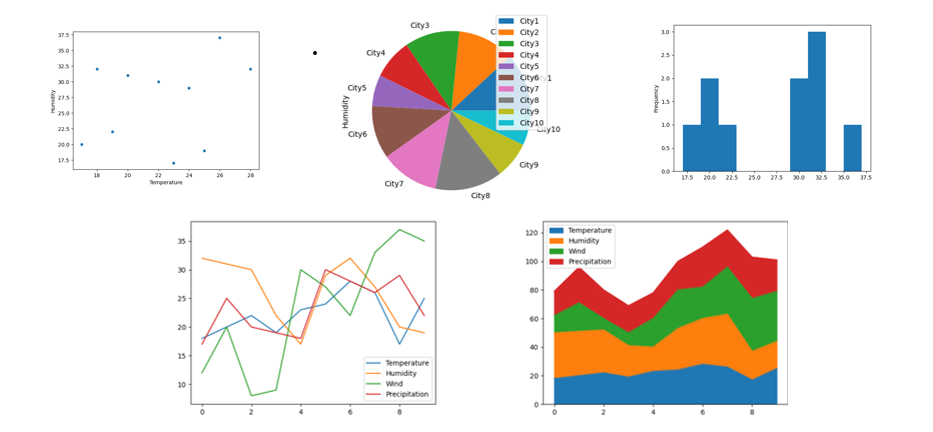
- Line Plots (plt.plot()): Best for displaying trends over time or continuous data.
- Bar Charts (plt.bar() / plt.barh()): Ideal for comparing categorical data.
- Histograms (plt.hist()): Used to visualize data frequency and probability distributions.
- Scatter Plots (plt.scatter()): Used to explore correlations and relationships between two continuous variables.
- Pie Charts (plt.pie()): Display proportional or percentage breakdowns of categorical data.
- Box Plots (plt.boxplot()): Summarize data distributions showing medians, quartiles, and outliers.
Q4: How do you customize titles, labels, legends, and gridlines in a Matplotlib plot?
Ans: Matplotlib provides straightforward functions to customize chart aesthetics:
- Title & Labels: Use plt.title(“Title Name”), plt.xlabel(“X-Axis”), and plt.ylabel(“Y-Axis”).
- Legend: Add plt.legend() after defining label parameters inside your plot call (e.g., plt.plot(x, y, label=”Dataset 1″)).
- Gridlines: Enable background gridlines using plt.grid(True) and adjust style using parameters like linestyle=’–‘ or alpha=0.5.
- Colors & Markers: Customize line styles, colors, and data point markers directly in plot functions (e.g., color=’red’, marker=’o’, linewidth=2).
Q5: What core visualization concepts are covered in Studyopedia’s Matplotlib tutorial?
Ans: Studyopedia’s Matplotlib tutorial covers installation and setup, creating basic line/bar/scatter/histogram charts, customizing colors, fonts, markers, gridlines, axis limits (xlim/ylim), adding legends and annotations, creating multi-plot grid layouts (subplots), saving plots to high-resolution image files (plt.savefig()), and integrating Matplotlib with Pandas DataFrames.
Python Matplotlib Tutorial Index
If you liked the tutorial, spread the word and share the link and our website Studyopedia with others.
For Videos, Join Our YouTube Channel: Join Now

No Comments