

08 Feb Scope of Variables in Java
In Java, the scope of a variable refers to the portion of the code where the variable is accessible and can be used. The scope of a variable defines where it can be accessed in a program. Variables can have different scopes depending on where they are declared.
Video Tutorial (English)
Video Tutorial (Hindi)
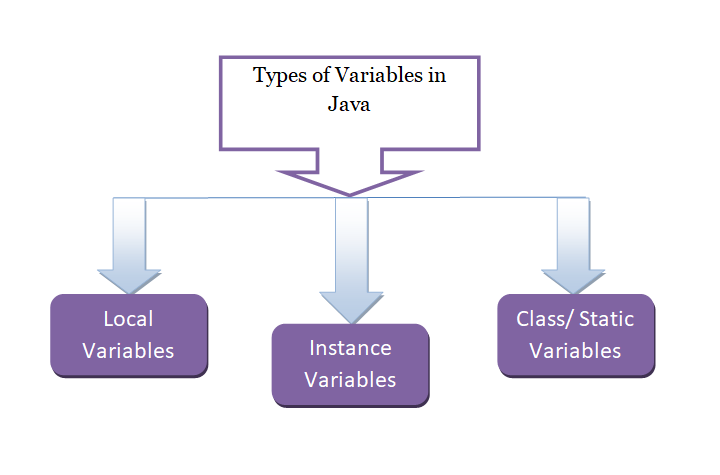
Let us now see the types of variable scopes in Java:
- Local Variables
- Instance Variables
- Class/ Static Variables
Local Variables
A local variable is assigned a value locally. It is a variable that gets declared inside a method and can be accessed only inside the same method. Here are some key points about local variables in Java:
- Declared inside a method, constructor, or block.
- Only accessible within that method/block.
- Must be initialized before use.
- Lifetime: Exists only while the method is executing.
For example,
int rank = 10;
Instance Variables
A variable that is declared in a class, but outside the method, is known as an instance variable. It is not declared as static. Here are some key points about instance variables in Java:
- Declared inside a class but outside methods/constructors.
- Each object of the class gets its own copy.
- Accessible by all methods of the class (except static methods).
- Lifetime: Exists as long as the object exists in memory.
For example,
int id =5;
Class/ Static Variables
A class variable is declared static. A class variable is also known as a static variable. Here are some key points about class variables in Java:
- Declared with the static keyword inside a class.
- Shared across all objects of the class.
- Can be accessed using the class name directly.
- Lifetime: Exists until the program terminates.
For example,
static int fees;
Example – Scope of Variables
Let’s see the complete example to work with local, instance, and class variables in Java:
public class StudyopediaDemo {
       int id = 5; // instance variable
       static int fees; // static variable

   void collegeDetails() {
       int rank = 10; // local variable
       System.out.println("College Id: " + id);
       System.out.println("College Rank: " + rank);
   }

   public static void main(String args[]) {
      StudyopediaDemo st = new StudyopediaDemo();
      fees = 3000;
      System.out.println("College Monthly Fees: " + fees);
      st.collegeDetails();
   }
}
Here’s the output for the above program, which shows the usage of Java variables:
College Monthly Fees: 3000
College Id: 5
College Rank: 10
Let us understand the code:
1. Class Loading
- The JVM loads the
StudyopediaDemoclass. - At this point, the static variable
feesis allocated memory (default value = 0).
2. Execution Starts in main()
- The JVM looks for the main() method and starts execution there.
3. Object Creation
- A new object st of
StudyopediaDemois created. - The instance variable
idis initialized with the value 5.
4. Static Variable Assignment
- The static variable fees is updated to 3000.
- Since it’s static, this value is shared across all objects of the class.
5. Print Static Variable:
System.out.println("College Monthly Fees: " + fees);
It prints the following output:
College Monthly Fees: 3000
6. Call Instance Method: Control goes to the collegeDetails() method.
7. Inside collegeDetails():
A local variable rank is created with a value of 10.
The method prints the following output:
College Id: 5
College Rank: 10
8. Program Ends
- After collegeDetails() finishes, the local variable rank is destroyed.
- The program terminates after completing all statements in main().
If you liked the tutorial, spread the word and share the link and our website, Studyopedia, with others.
For Videos, Join Our YouTube Channel: Join Now
Read More:

No Comments