

06 Aug Java Inheritance
The Inheritance concept in Java enables code reuse through inheritance. This allows a class to inherit the members of an already present class. Therefore, the concept of base and derived classes is what Inheritance is all about in Java.
Inheritance in Java allows one class (child/subclass) to reuse and extend the properties and methods of another class (parent/superclass), promoting code reusability and cleaner design. The extends keyword is used to implement inheritance.
Key concepts of Inheritance
Before moving further, let us first understand the concept of Inheritance with the base and derived classes:
- Base class: The base class is the parent class.
- Derived class: The derived class is the child class since it is derived from the parent class.
More about Inheritance:
- Superclass (Parent/Base Class): The class whose properties and methods are inherited.
- Subclass (Child/Derived Class): The class that inherits from the superclass.
- Keyword: extends is used to establish inheritance.
- Method Overriding: A subclass redefines a method from its superclass with the same signature. A method’s signature refers to its name and parameter list (number, type, and order of parameters)
- Types of Inheritance in Java:
- Single Inheritance: One class inherits from another.
- Multilevel Inheritance: A class inherits from a subclass of another class.
- Hierarchical Inheritance: Multiple classes inherit from a single superclass.
Create a Derived class from a Base class in Java
We will use the extends keyword to inherit. Let us say our superclass is Father and the subclass is Child:
class Child extends Father {
  // code
}
Let us now see an example of Inheritance wherein we will create a derived class from a Base class:
// Create a Derived class from a Base class in Java

// Parent class
class Parent {
    public void demo1() {
        System.out.println("This is the parent class");
    }
}

// Child class
class Child extends Parent {
    public void demo2() {
        System.out.println("This is the child class");
    }
}

class Demo137 {
    public static void main(String[] args) {
        Child c = new Child();

        // The child class inherits the method demo1() of the parent class
        c.demo1();
        c.demo2();
    }
}
Output
This is the parent class
This is the child class
Protected Modifier in Java
Let us now inherit the attributes and methods from the Parent class. We have set the fname to a protected modifier so that it is accessible even in the subclass Child:
// Protected Modifier in Java

// Parent class
class Parent {
    protected String fname = "Ramesh";

    public void demo1() {
        System.out.println("This is the parent class");
    }
}

// Child class
class Child extends Parent {

    String sname = "Sachin";
    public void demo2() {
        System.out.println("This is the child class");
    }
}

class Demo138 {
    public static void main(String[] args) {

        // Child class object
        Child c = new Child();

        // The child class inherits the method demo1() of the parent class
        c.demo1();
        c.demo2();

        System.out.println("Father's name = "+c.fname);
        System.out.println("Son's name = "+c.sname);
    }
}
Output
This is the parent class
This is the parent class
This is the child class
Father's name = Ramesh
Son's name = Sachin
Method Overriding
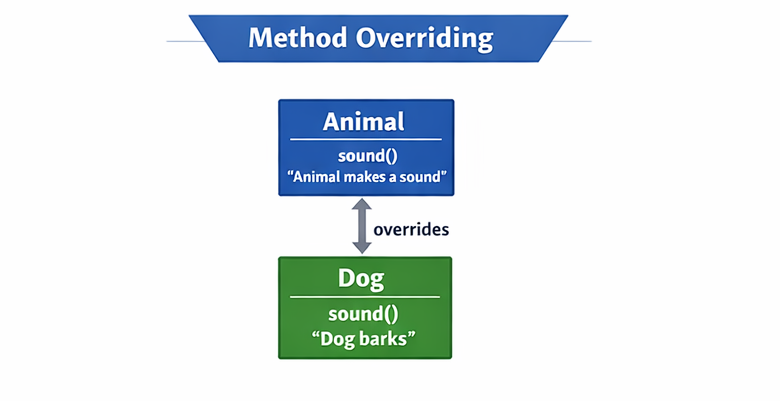
With overriding, a subclass redefines a method from its superclass with the same signature. This enables runtime polymorphism and dynamic method dispatch.
Note: A method’s signature refers to its name and parameter list (number, type, and order of parameters)
Here,
Animal → Dog (overrides sound())
- Animal defines sound() → “Animal makes a sound”
- Dog overrides sound() → “Dog barks”
Let us see an example:
// Parent class
class Animal {
    void sound() {
        System.out.println("Animal makes a sound");
    }
}

// Child class
class Dog extends Animal {
    @Override
    void sound() {
        System.out.println("Dog barks");
    }
}

public class Main {
    public static void main(String[] args) {
        Animal a = new Dog();
        a.sound();  // Calls Dog's overridden method
    }
}
Output
Dog barks
This demonstrates polymorphism: the subclass modifies the behavior of the parent class.
Types of Inheritance in Java
The following are the types of Inheritance in Java:
- Single Inheritance
- Multilevel Inheritance
- Hierarchical Inheritance
Let us understand them one by one:
Single Inheritance
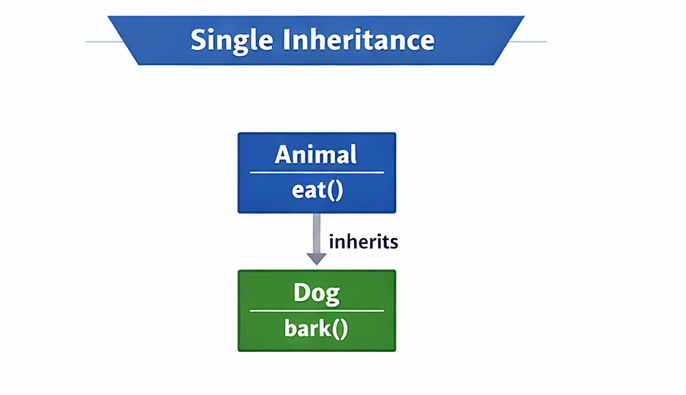
In Single Inheritance, one subclass inherits from one superclass using extends. It promotes code reuse by accessing parent methods and properties.
Animal → Dog
- Animal has the method eat()
- Dog inherits eat() and adds bark()
Let us see an example:
// Parent class
class Animal {
    void eat() {
        System.out.println("I can eat");
    }
}

// Child class
class Dog extends Animal {
    void bark() {
        System.out.println("I can bark");
    }
}

public class Main {
    public static void main(String[] args) {
        Dog d = new Dog();
        d.eat();   // Inherited from Animal
        d.bark();  // Defined in Dog
    }
}
Output
I can eat
I can bark
Here, Dog inherits the eat() method from Animal.
Multilevel Inheritance
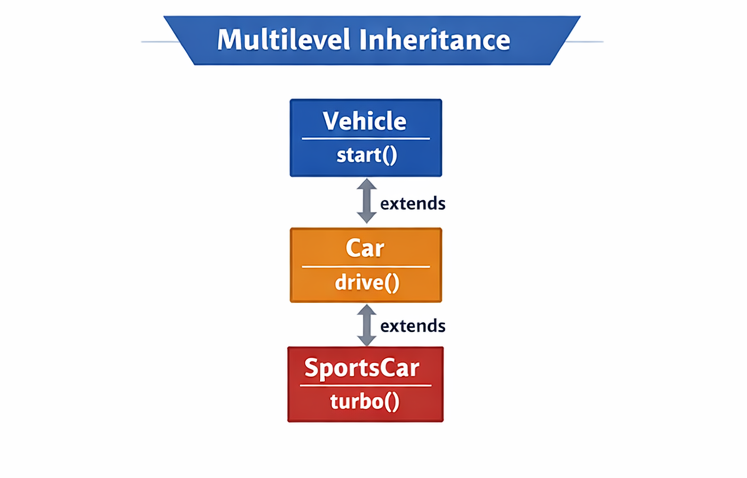
In multilevel inheritance, a class inherits from a subclass which itself inherits from another class. This forms a chain of inheritance across multiple levels.
Vehicle → Car → SportsCar
- Vehicle has the method start()
- Car inherits start() and adds drive()
- SportsCar inherits both and adds turbo()
Let us see an example:
class Vehicle {
    void start() {
        System.out.println("Vehicle starts");
    }
}

class Car extends Vehicle {
    void drive() {
        System.out.println("Car drives");
    }
}

class SportsCar extends Car {
    void turbo() {
        System.out.println("SportsCar uses turbo");
    }
}

public class Main {
    public static void main(String[] args) {
        SportsCar sc = new SportsCar();
        sc.start();  // From Vehicle
        sc.drive();  // From Car
        sc.turbo();  // From SportsCar
    }
}
Output
Vehicle starts
Car drives
SportsCar uses turbo
This shows multilevel inheritance where SportsCar inherits from Car, which in turn inherits from Vehicle.
Hierarchical Inheritance
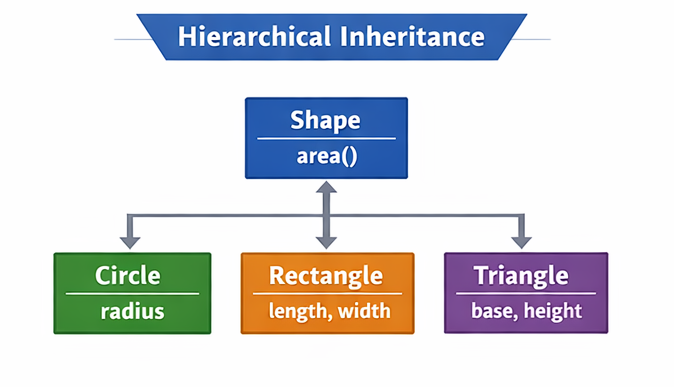
In hierarchical inheritance, multiple subclasses inherit from a single superclass. Each subclass gets access to the common parent methods independently.
Shape → Circle, Rectangle, Triangle
- Shape has the method area()
- Each subclass adds its own properties:
- Circle: radius
- Rectangle: length, width
- Triangle: base, height
Here’s an example of hierarchical inheritance, where multiple subclasses inherit from a single superclass:
// Superclass
class Shape {
    void area() {
        System.out.println("Calculating area...");
    }
}

// Subclass 1
class Circle extends Shape {
    double radius = 5;

    void displayCircleArea() {
        System.out.println("Circle Area: " + (Math.PI * radius * radius));
    }
}

// Subclass 2
class Rectangle extends Shape {
    double length = 4, width = 6;

    void displayRectangleArea() {
        System.out.println("Rectangle Area: " + (length * width));
    }
}

// Subclass 3
class Triangle extends Shape {
    double base = 3, height = 7;

    void displayTriangleArea() {
        System.out.println("Triangle Area: " + (0.5 * base * height));
    }
}

public class Main {
    public static void main(String[] args) {
        Circle c = new Circle();
        c.area();               // inherited from Shape
        c.displayCircleArea();  // specific to Circle

        Rectangle r = new Rectangle();
        r.area();               // inherited from Shape
        r.displayRectangleArea();  // specific to Rectangle

        Triangle t = new Triangle();
        t.area();               // inherited from Shape
        t.displayTriangleArea();  // specific to Triangle
    }
}
Output
Calculating area...
Circle Area: 78.53981633974483
Calculating area...
Rectangle Area: 24.0
Calculating area...
Triangle Area: 10.5
Each subclass (Circle, Rectangle, Triangle) inherits the area() method from the Shape superclass, but also defines its own specific method to calculate area based on its geometry.
Multiple Inheritance in Java is not allowed
In Java, multiple inheritance of state (extending more than one class) is not allowed. This design choice was made to ensure simplicity, maintainability, and to avoid the complexities found in languages like C++.
How to Achieve Similar Functionality
While you cannot use the extends keyword for multiple classes, Java provides a safe alternative: using Interfaces.
We will implement multiple inheritance using Interfaces in the Interfaces lesson.
If you liked the tutorial, spread the word and share the link and our website, Studyopedia, with others.
For Videos, Join Our YouTube Channel: Join Now
Read More

No Comments