

24 Jun Java Variables
In this lesson, we will learn how to work with Java Variables. A variable in Java is a reserved area allocated in memory. It is a container that holds a value. Each variable is assigned a type, known as a data type.
Video Tutorial (English)
Video Tutorial (Hindi)
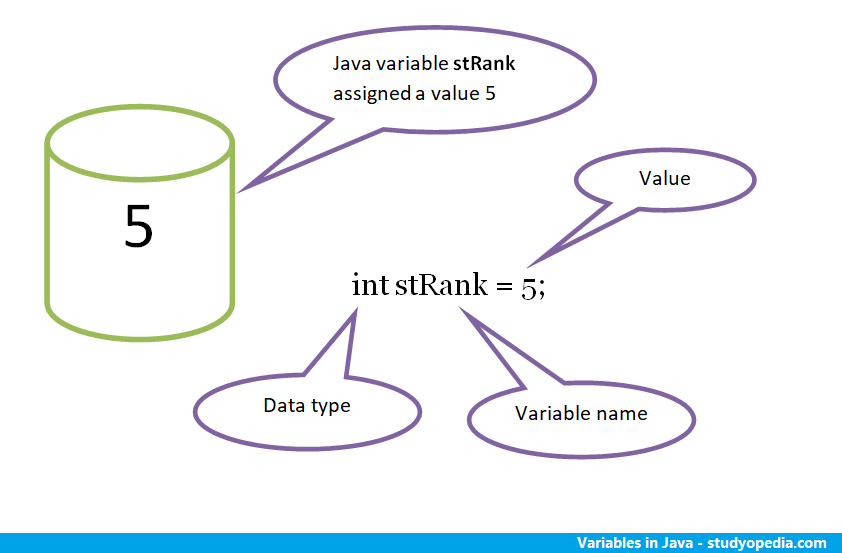
Let us understand using the image below:
The reserved area set for the variable stRank is shown below. Here, the variable is assigned a value of 5. Also, you can see that we need a data type to declare a variable. The int data type is used below.
Declare Variables in Java
As shown in the figure above, variables are declared by adding a data type to the variable name.
Here are some examples:
int stRank:
int score;
byte a;
boolean result;
Initialize Variables in Java
To initialize a variable, assign a value to it. Here are some examples:
int stRank = 5;
int score = 90;
byte a = 10;
boolean result = true;
Here’s the usage of variables in a Java program:
For example,
public class Studyopedia {

    public static void main(String[] args) {

        int score = 90;
    }
}
The value of the integer variable above is assigned 90.
If you liked the tutorial, spread the word and share the link and our website Studyopedia with others.
For Videos, Join Our YouTube Channel: Join Now
Read More

No Comments