

08 May Loops in Java
In Java, loops are control flow constructs that repeatedly run a block of code as long as a specified condition evaluates to true. Loops in Java include the following,
- while loop
- do-while loop
- for loop
- for-each loop
Video Tutorial (English)
Video Tutorial (Hindi)
Let us learn about the loops one by one,
while loop in Java
If the condition is true, a statement or a group of statements executes in a while loop. As long as the condition/ expression is true, the statement in the body executes.
If the condition is false, the body of the loop will not execute.
Syntax
Here, expression is a condition or a Boolean Expression,
while(expression) {
   // statements execute if the expression is true
}
Example
Let us see an example wherein we learn about the usage of a while loop,
public class StudyopediaDemo {

   public static void main(String args[]) {

    System.out.println("'While Loop' in Java - Studyopedia");

    int i = 50;

    System.out.println("Displaying Values!");

    // while loop condition
    while( i < 55 ) {
      System.out.println(i);
      i++;
    }
  }
}
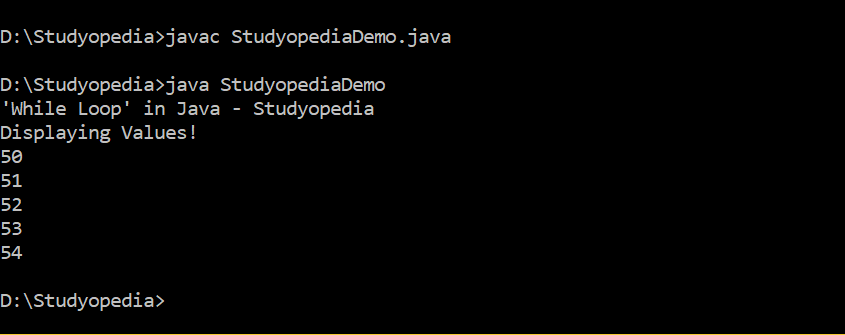
Output
The following is the output,
do-while loop in Java
The do-while loop executes at least once, even if the condition/ expression is false, unlike the while loop.
If the condition is true, a statement or a group of statements executes in the do-while loop
If the condition is false, the body of the loop executes at least once.
Syntax
Here, expression is a boolean expression or condition,
do {
   // statement to execute
} while(expression);
Example
Let us see an example wherein we learn about the usage of the do-while loop,
public class StudyopediaDemo {

   public static void main(String args[]) {

    System.out.println("'do-while loop' in Java - Studyopedia");

    int i = 50;

    System.out.println("Displaying Values!");

    // do-while loop condition
    do {
       System.out.println(i);
       i++;
    }while( i < 55 );
  }
}
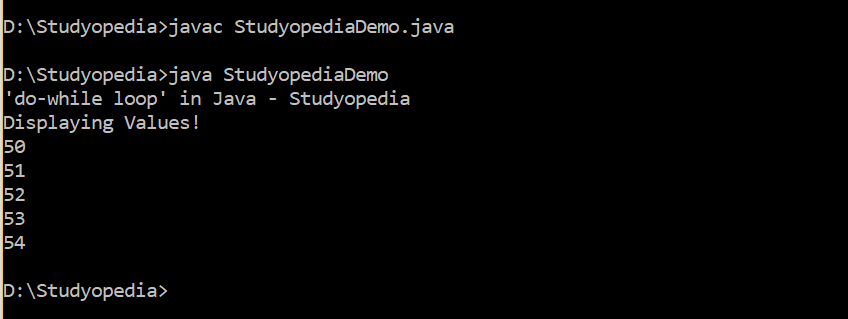
Output
The following is the output,
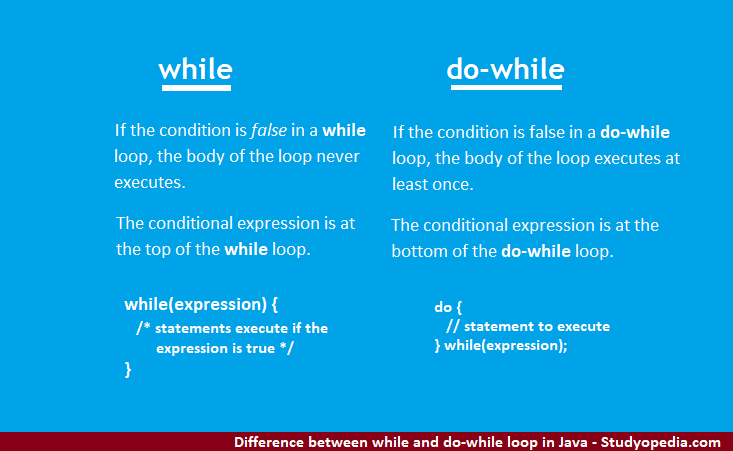
Difference between while and do-while loop
If the condition is false in a while loop, the body of the loop never executes.
If the condition is false in a do-while loop, the body of the loop executes at least once.
The conditional expression is at the top of the while loop.
The conditional expression is at the bottom of the do-while loop.
Now let us learn about the for loop in Java.
for-loop in Java
The for loop is a loop that executes a specified number of times. Under this, initialize, test, and increment the loop counter in a single line, unlike while and do-while loops.
Syntax
for(initialization; expression; inc/ dec) {
   // statements execute
}
Here,
- initialization: declare and initialize any loop control variable
- expression: a Boolean expression if true, the statement is executed
- inc/ dec: increment/ decrement loop
Example
Let us see an example, wherein we learn about the usage of for-loop,
public class StudyopediaDemo {

   public static void main(String args[]) {

     System.out.println("'for loop' in Java - Studyopedia");

     int i;

     for (i = 0; i < 5; i++) {
       System.out.println(i);
     }
   }
}
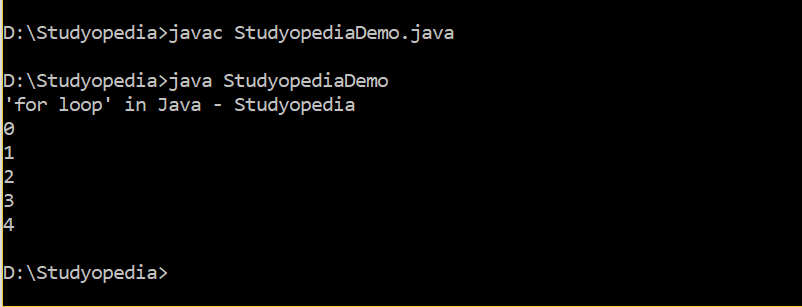
Output
The following is the output,
for-each loop in Java
Use the for-each loop to iterate through all elements in an array. Here is the syntax:
Syntax
for (dataType loopVariable : array) {
 // statements to execute
}
Here,
- dataType: the datatype of the loop variable.
- loopVariable: In Java, the loop variable in a for-each loop is the temporary variable that holds the current element of the array or collection during each iteration.
- array: Our array or collection
Let us see an example of the for-each loop and find the max and min from an array.
// for-each loop in Java

class Demo51 {
    public static void main(String[] args) {

        int[] numbers = {10, 20, 30, 40, 50};

        for (int n : numbers) {
            System.out.print(n + " ");
        }
    }
}
Output
10 20 30 40 50
In this lesson, we learned about loops in Java: while, do-while, and for loop. In the next lesson, we will learn about break and continue statements in Java.
If you liked the tutorial, spread the word and share the link and our website Studyopedia with others.
For Videos, Join Our YouTube Channel: Join Now
Read More

No Comments