

23 Sep turtle.get_shapepoly() function in Python
The turtle.get_shapepoly() function returns the coordinates of the given shape as a tuple of coordinate pairs. Used to inspect the vertices of a shape.
Syntax: turtle.get_shapepoly()
Parameters: None.
Let us see an example to implement the turtle.get_shapepoly() function in Python:
Demo66.py
# turtle.get_shapepoly() function in Python
# Code by Studyopedia

import turtle

window = turtle.Screen()
t = turtle.Turtle()

# Register a custom polygon shape
turtle.register_shape("triangle", ((0, 0), (50, 0), (25, 50)))

# Set the turtle's shape to the custom polygon
t.shape("triangle")

# Now get the polygon coordinates
poly = turtle.get_shapepoly()
print("Triangle shape polygon:", poly)

window.exitonclick()
The following is the output:
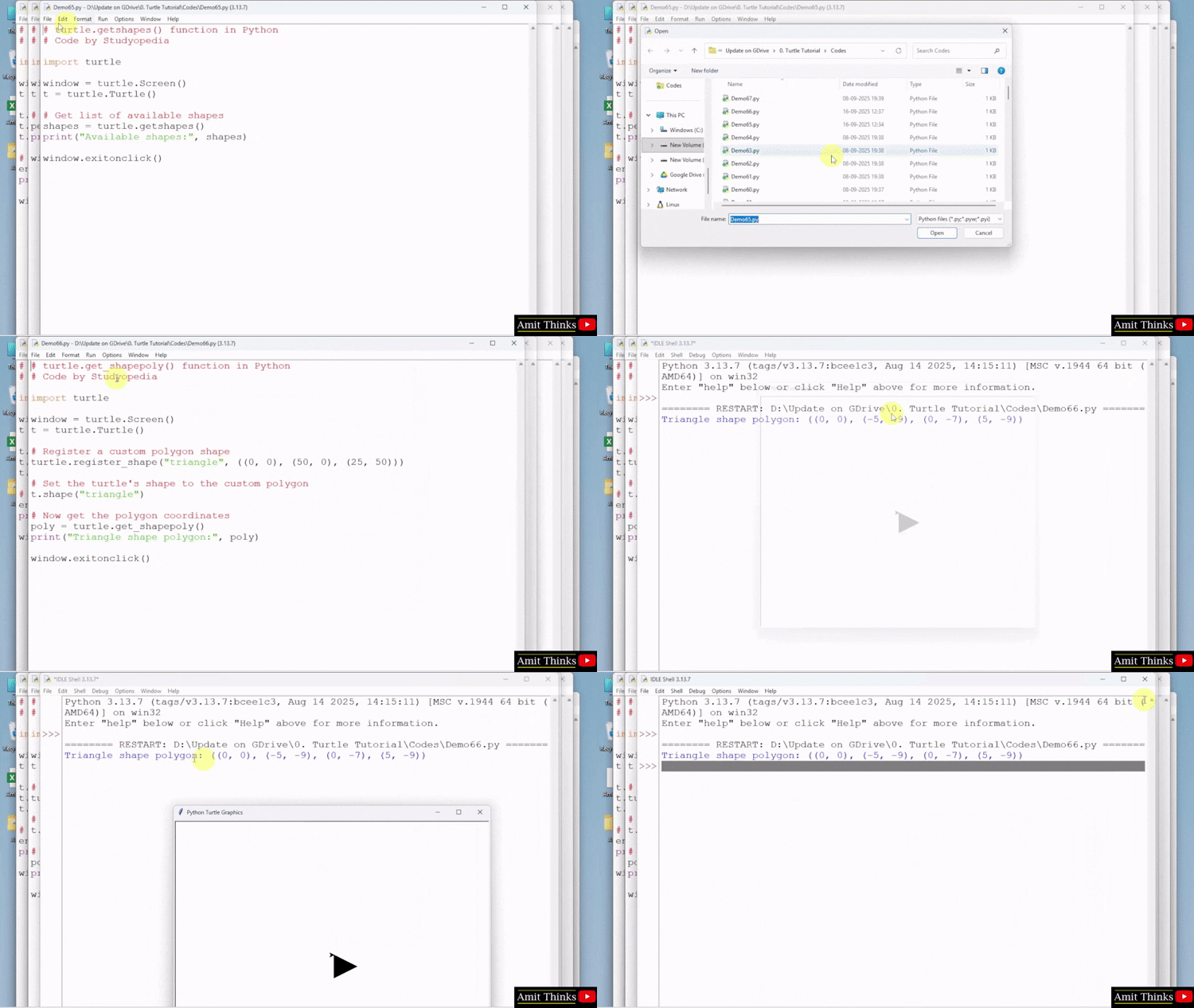
In the above code, we followed the below steps:
- Import module:
import turtleloads the turtle graphics library. - Create screen:
window = turtle.Screen()opens the drawing window. - Create turtle:
t = turtle.Turtle()creates the turtle you’ll control. - Register custom shape:
turtle.register_shape("triangle", ((0, 0), (50, 0), (25, 50)))defines a new polygon shape named"triangle"using three coordinate points. This shape is now available for use. - Set turtle shape:
t.shape("triangle")sets the turtle’s appearance to the newly registered triangle shape. - Get polygon coordinates:
poly = turtle.get_shapepoly()retrieves the list of(x, y)coordinate pairs that define the current turtle shape — in this case, the triangle. - Print polygon:
print("Triangle shape polygon:", poly)outputs the shape’s coordinates to the console. - Close on click:
window.exitonclick()waits for a mouse click, then closes the window.
If you liked the tutorial, spread the word and share the link and our website, Studyopedia, with others.
For Videos, Join Our YouTube Channel: Join Now
Read More:
- OpenCV Tutorial
- Python Tutorial
- NumPy Tutorial
- Pandas Tutorial
- Matplotlib Tutorial
- Generative AI Tutorial
- LangChain Tutorial
- RAG Tutorial
- Machine Learning Tutorial
- Deep Learning Tutorial
- Ollama Tutorial
- Retrieval Augmented Generation (RAG) Tutorial
- Copilot Tutorial
- Gemini Tutorial
- ChatGPT Tutorial

No Comments