

20 Feb JavaScript Variables
Variable names in JavaScript are the names given to locations in memory. Consider a JavaScript variable as a container for values. The JavaScript variables are declared with any of the following keywords:
- var: Added to JavaScript before 2015.
- let: Added to JavaScript in 2015
Reassignment is allowed. You can change the variable’s value later. - const: Added to JavaScript in 2015
Reassignment is not allowed. The variable is read-only after assignment.
As you can see above, the let and const keywords were introduced in ES2015, i.e., ES6. For JavaScript in 2026, we recommend using let. It works for all the major modern web browsers.
Note: The current JavaScript version is ES2026. From 2016, versions are named by year (ECMAScript 2016, 2017, 2018, …, 2025).
Integer Variable in JavaScript
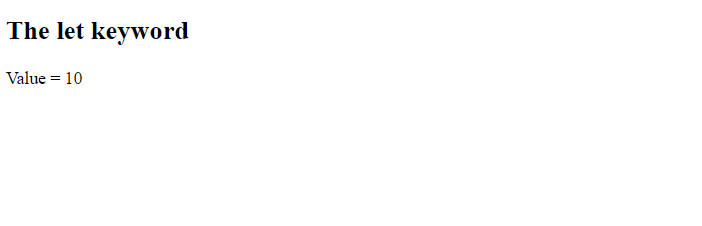
Let us now declare integer variables using the let keyword. Here, we have declared an integer variable:
<!DOCTYPE html>
<html>
<body>

<h2>The let keyword</h2>

<p id="test"></p>

<script>
let a = 10;
document.getElementById("test").innerHTML =
"Value = " + a;
</script>

</body>
</html>
Output
String Variable in JavaScript
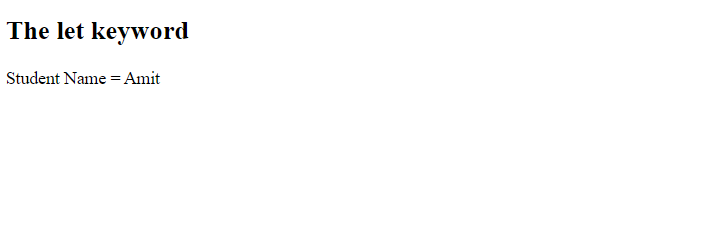
Let us now declare string variables using the let keyword. Here, we have declared a string variable:
<!DOCTYPE html>
<html>
<body>

<h2>The let keyword</h2>

<p id="test"></p>

<script>
let  name = "Amit";
document.getElementById("test").innerHTML =
"Student Name = " + name;
</script>

</body>
</html>
Output

No Comments