

19 Feb jQuery focusin() method
Definition
Trigger an event when an element gets focus, using the jQuery focusin() method. The focus() and focusin() method looks the same, but are different. The focus() method does not trigger if a child element gets focus.
Note: The focusout() method is used often along with focusin().
Syntax
The following is the syntax,
$(selector).focusin(func)
The following is the parameter used in the jQuery focusin() method,
- func: When event occur, this function runs. It is an optional parameter.
Example
<!DOCTYPE html>
<html>
<head>
<script src="https://ajax.googleapis.com/ajax/libs/jquery/3.3.1/jquery.min.js"></script>
<script>
$(document).ready(function(){
    $("input").focusin(function(){
        $("span").css("display", "inline");
    });

    $("input").focusout(function(){
        $("span").css("color", "blue");
    });
});
</script>
<style>
span {
  display: none;
}
</style>
</head>
<body>
<p>Enter subject details below,</p>

<p><input type="number">
   <span>Enter subject id</span>
</p>
<p><input type="text">
   <span>Enter subject name</span>
</p>
<p><input type="text">
   <span>Enter student name</span>
</p>

</body>
</html>
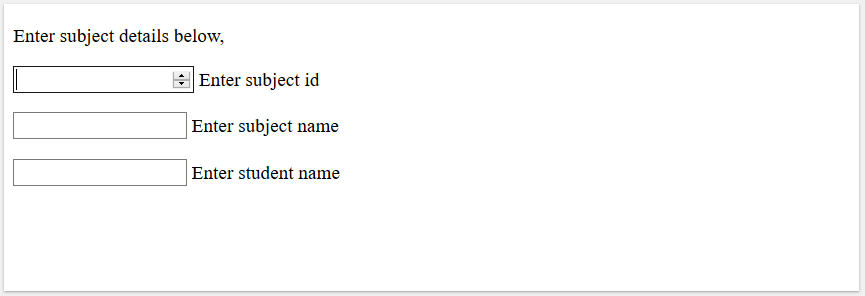
The following is the output,
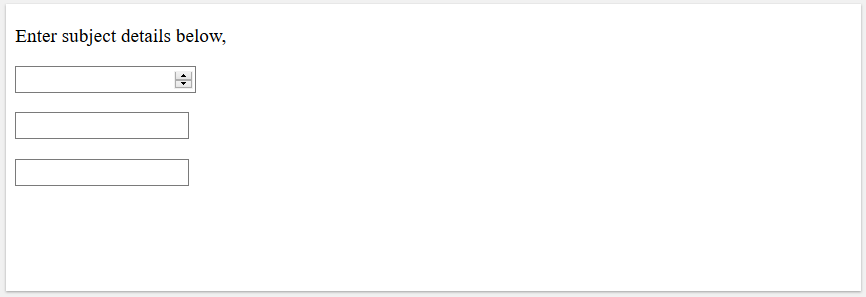
Click inside the input field to get focus,
Example 2
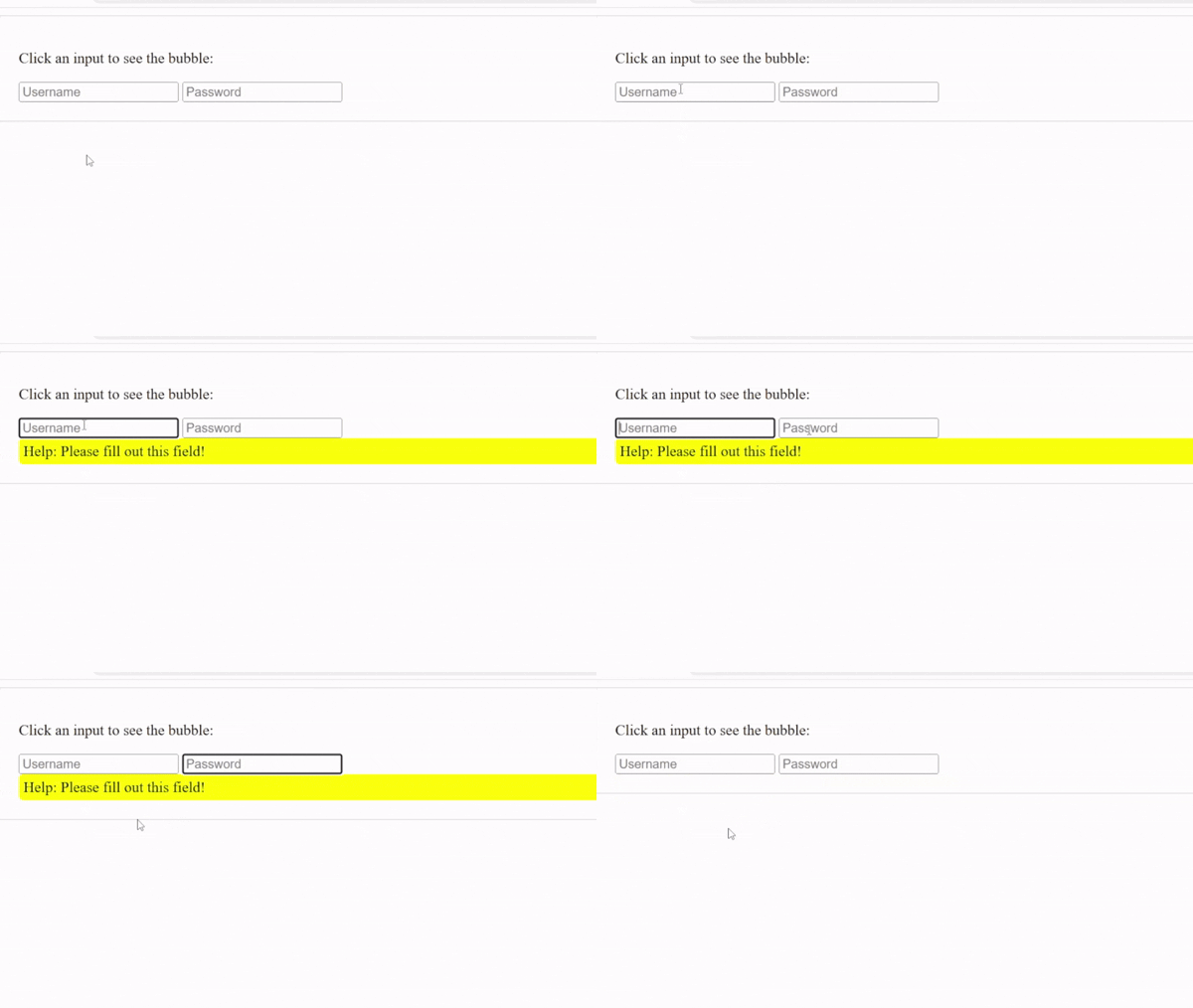
The focusin() and focus() are often confused. Let us see an example to understand that focusin() triggers when the element or any element inside it receives focus. It bubbles up to parent elements:
<!-- focusin -->
<!-- focusin: Triggers when the element or any element inside it receives focus. It bubbles up to parent elements -->

<!DOCTYPE html>
<html>
<head>
<script src="https://code.jquery.com/jquery-4.0.0.min.js"></script>
<script>
$(document).ready(function(){
  // Using .focusin() allows the parent #container to "see"
// when any child <input> is focused.
$('#container').focusin(function() {
  $('#bubble').fadeIn(); // Display the bubble
});

// Using .focusout() hides the bubble when focus leaves the container
$('#container').focusout(function() {
  $('#bubble').fadeOut();
});

});
</script>
</head>
<body>

<div id="container" style="padding: 20px; border: 1px solid #ccc;">
  <p>Click an input to see the bubble:</p>
  <input type="text" placeholder="Username">
  <input type="password" placeholder="Password">
  <div id="bubble" style="display:none; background: yellow; padding: 5px; border-radius: 5px;">
    Help: Please fill out this field!
  </div>
</div>

</body>
</html>
Output

No Comments