

27 Jan jQuery – Dimension Methods
We all know about Margins, Padding, Borders, etc of an element, but some jQuery built-in methods also calculate the dimensions of an element on a web page. These methods get or set the width or height of an element and also cover the concept of excluding and/ or including padding, border, and margin. The following are the methods:
- width(): Get or set the width of an element. Excludes padding, border, and margin
- height(): Get or set the height of an element. Excludes padding, border, and margin
- innerWidth(): Get or set the width of an element. Includes the padding for both the left and right sides of an element.
- innerHeight(): Get or set the height of an element. Includes the padding for both the left and right sides of an element.
- outerWidth(): Get or set the width of an element. Includes the padding and border for both the left and right sides of an element.
- outerHeight(): Get or set the height of an element. Includes the padding and border for both the left and right sides of an element.
Before moving further, we’ve prepared a video tutorial to learn about Dimension Methods in jQuery:
jQuery width() method
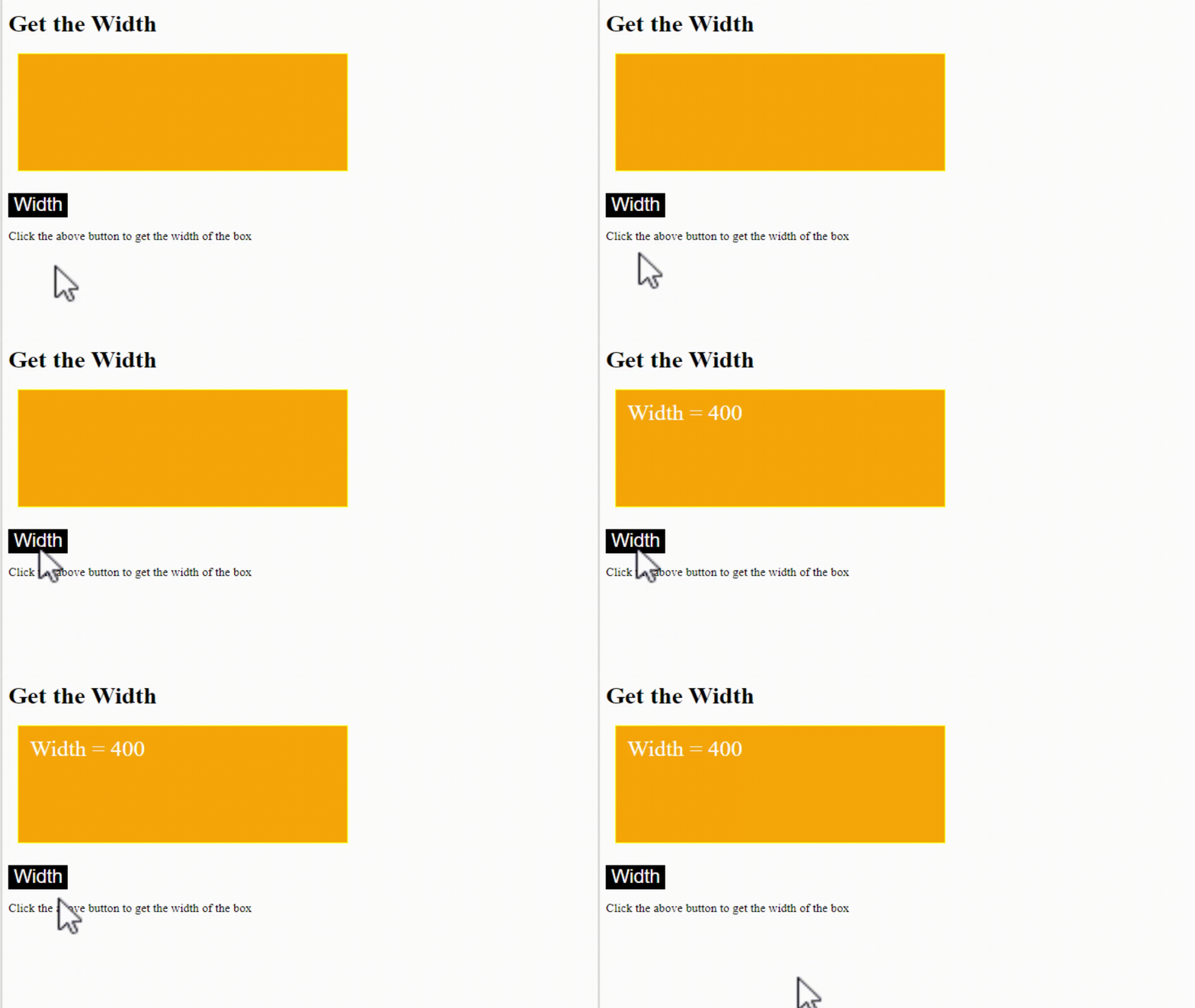
The width() method in jQuery is used to get or set the width of an element. It excludes padding, border, and margin. Let us see an example:
<!DOCTYPE html>
<html>
<head>
<script src="https://ajax.googleapis.com/ajax/libs/jquery/3.6.1/jquery.min.js"></script>
<script>
$(document).ready(function(){
  $("button").click(function(){
    var txt = "";
    txt += "Width = " + $(".demo").width();
    $(".demo").html(txt);
  });
});
</script>
<style>
.demo {
  height: 130px;
  width: 400px;
  padding: 15px;
  margin: 12px;
  border: 2px solid yellow;
  background: orange;
  color: white;
  font-size: 30px;
}
button {
  background: black;
  color: white;
  font-size: 25px;
}
</style>
</head>
<body>
<h1>Get the Width</h1>

<div class="demo"></div>
<br>
<button>Width</button>

<p>Click the above button to get the width of the box</p>

</body>
</html>
Output
jQuery height() method
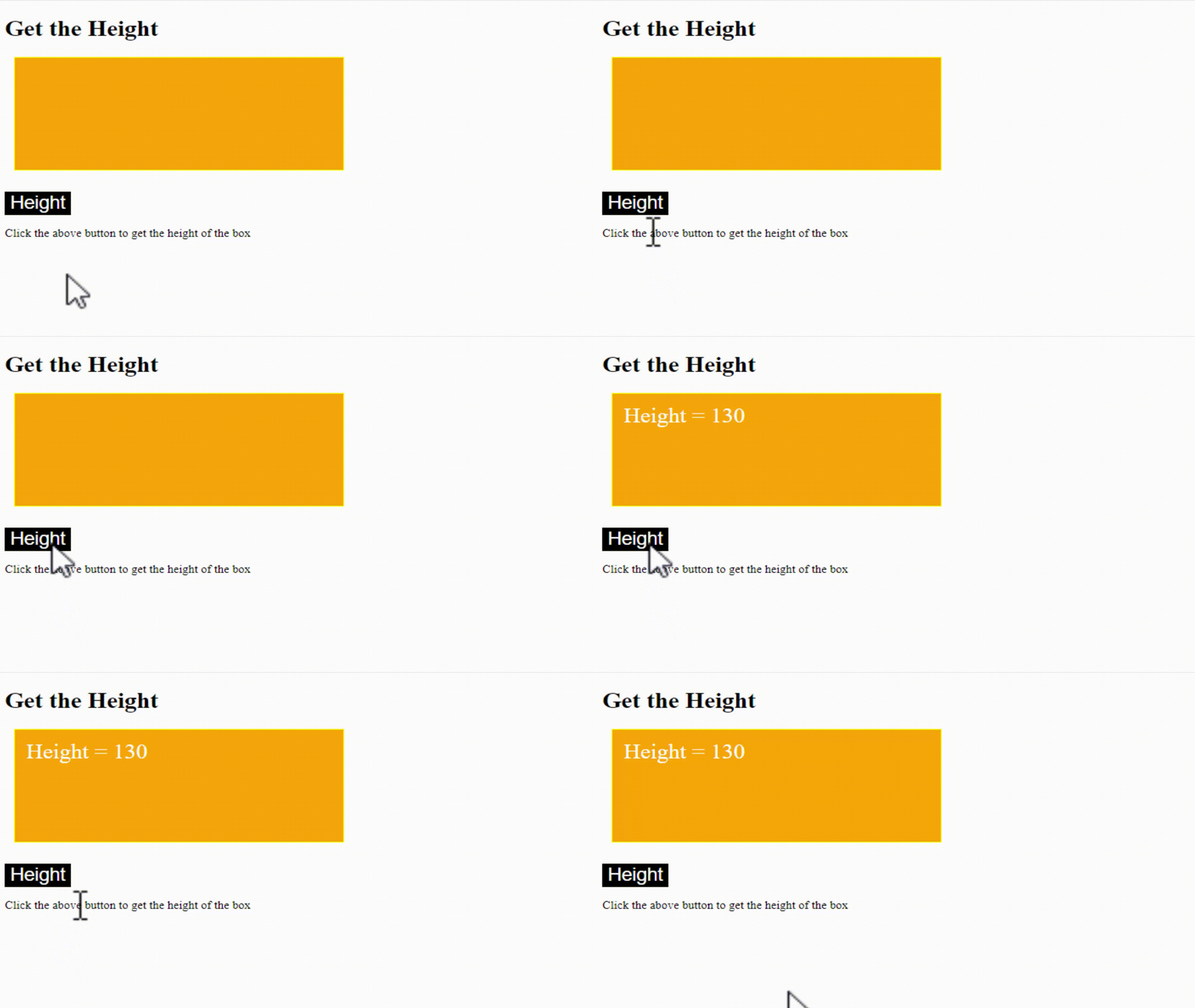
The height() method in jQuery is used to get or set the height of an element. It excludes padding, border, and margin. Let us see an example:
<!DOCTYPE html>
<html>
<head>
<script src="https://ajax.googleapis.com/ajax/libs/jquery/3.6.1/jquery.min.js"></script>
<script>
$(document).ready(function(){
  $("button").click(function(){
    var txt = "";
    txt += "Height = " + $(".demo").height();
    $(".demo").html(txt);
  });
});
</script>
<style>
.demo {
  height: 130px;
  width: 400px;
  padding: 15px;
  margin: 12px;
  border: 2px solid yellow;
  background: orange;
  color: white;
  font-size: 30px;
}
button {
  background: black;
  color: white;
  font-size: 25px;
}
</style>
</head>
<body>
<h1>Get the Height</h1>

<div class="demo"></div>
<br>
<button>Height</button>

<p>Click the above button to get the height of the box</p>

</body>
</html>
Output
jQuery innerWidth() method
The innerWidth() method in jQuery is used to get or set the width of an element. It includes the padding for both the left and right sides of an element. Let us see an example:
<!DOCTYPE html>
<html>
<head>
<script src="https://ajax.googleapis.com/ajax/libs/jquery/3.6.1/jquery.min.js"></script>
<script>
$(document).ready(function(){
  $("button").click(function(){
    var txt = "";
    txt += "Inner Width = " + $(".demo").innerWidth();
    $(".demo").html(txt);
  });
});
</script>
<style>
.demo {
  height: 130px;
  width: 400px;
  padding: 15px;
  margin: 12px;
  border: 2px solid yellow;
  background: orange;
  color: white;
  font-size: 30px;
}
button {
  background: black;
  color: white;
  font-size: 25px;
}
</style>
</head>
<body>
<h1>Get the Inner Width</h1>

<div class="demo"></div>
<br>
<button>Inner Width</button>

<p>Click the above button to get the inner width of the box</p>

</body>
</html>
Output
After clicking the button, it displays the inner width (400+ 15 + 15):

jQuery innerHeight() method
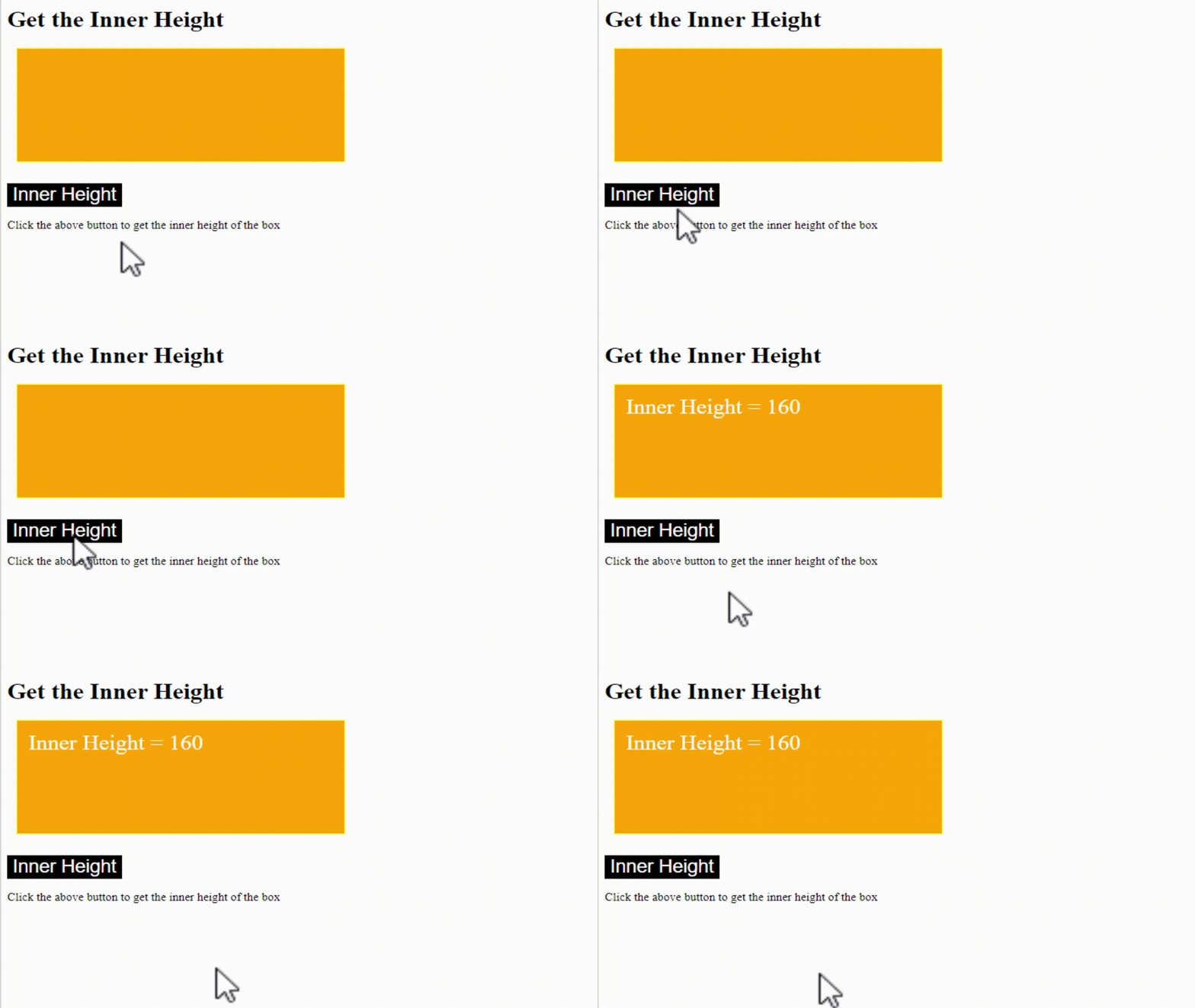
The innerHeight() method in jQuery is used to get or set the height of an element. It includes the padding for both the left and right sides of an element. Let us see an example:
<!DOCTYPE html>
<html>
<head>
<script src="https://ajax.googleapis.com/ajax/libs/jquery/3.6.1/jquery.min.js"></script>
<script>
$(document).ready(function(){
  $("button").click(function(){
    var txt = "";
    txt += "Inner Height = " + $(".demo").innerHeight();
    $(".demo").html(txt);
  });
});
</script>
<style>
.demo {
  height: 130px;
  width: 400px;
  padding: 15px;
  margin: 12px;
  border: 2px solid yellow;
  background: orange;
  color: white;
  font-size: 30px;
}
button {
  background: black;
  color: white;
  font-size: 25px;
}
</style>
</head>
<body>
<h1>Get the Inner Height</h1>

<div class="demo"></div>
<br>
<button>Inner Height</button>

<p>Click the above button to get the inner height of the box</p>

</body>
</html>
Output
After clicking the button, it displays the inner height (130+ 15 + 15):
jQuery outerWidth() method
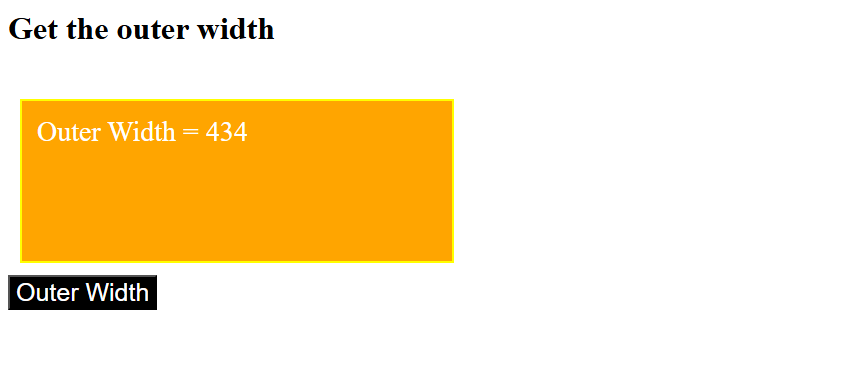
The outerWidth() method in jQuery is used to get or set the width of an element. It includes the padding and border for both the left and right sides of an element. Let us see an example:
<!-- Dimension Methods in jQuery -->
 <!-- outerWidth() method (Includes the padding (left+right) and border) -->
<!DOCTYPE html>
<html>
<head>
<script src="https://code.jquery.com/jquery-4.0.0.min.js"></script>
<script>
$(document).ready(function(){
  $("button").click(function() {
     var txt = "";
     txt += "Outer Width = "+$(".demo").outerWidth();
     $(".demo").html(txt);
  });
});

</script>
<style>
.demo {
    background-color: orange;
    color: white;
    width: 400px;
    height: 130px;
    padding: 15px;
    margin: 12px;
    border: 2px solid yellow;
    font-size: 28px;
}
button {
  background: black;
  color: white;
  font-size: 25px;
}
</style>
</head>
<body>
<h1>Get the outer width</h1><br>
<div class="demo"></div>
<button>Outer Width</button>

</body>
</html>
Output
After clicking the button, it displays the outer width(400+ 15 + 15 + 2 + 2):
jQuery outerHeight() method
The outerHeight() method in jQuery is used to get or set the height of an element. It includes the padding and border for both the left and right sides of an element. Let us see an example:
<!-- Dimension Methods in jQuery -->
 <!-- outerHeight() method (Includes the padding (left+right) and border) -->
<!DOCTYPE html>
<html>
<head>
<script src="https://code.jquery.com/jquery-4.0.0.min.js"></script>
<script>
$(document).ready(function(){
  $("button").click(function() {
     var txt = "";
     txt += "Outer Height = "+$(".demo").outerHeight();
     $(".demo").html(txt);
  });
});

</script>
<style>
.demo {
    background-color: orange;
    color: white;
    width: 400px;
    height: 130px;
    padding: 15px;
    margin: 12px;
    border: 2px solid yellow;
    font-size: 28px;
}
button {
  background: black;
  color: white;
  font-size: 25px;
}
</style>
</head>
<body>
<h1>Get the outer height </h1><br>
<div class="demo"></div>
<button>Outer Height</button>

</body>
</html>
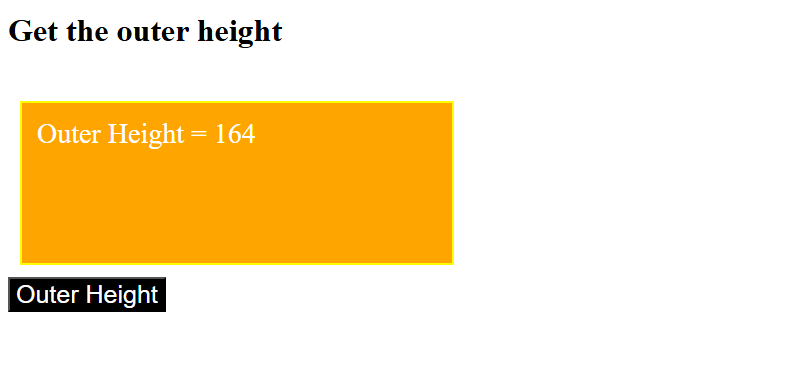
Output
After clicking the button, it displays the outer height (130 + 15 + 15 + 2 + 2)

No Comments