

16 Feb jQuery change() method
Definition
As the name suggests, the change() method in jQuery is useful when you change the value of any of the following elements while using them: input, select, and textarea.
Syntax
The following is the syntax,
$(selector).change(func)
The following is the parameter used by the change() method,
- func: When event occur, this function runs
Example
<!DOCTYPE html>
<html>
<head>
<script src="https://ajax.googleapis.com/ajax/libs/jquery/3.3.1/jquery.min.js"></script>
<script>
$(document).ready(function(){
  $("input").change(function(){
    alert("You changed the value.");
  });
});
</script>
</head>
<body>

<h2>Department Details</h2>
<p>Add the details below or change the value of the input field and click outside the input box.</p>
Department ID: <input type="text"><br><br>
Department Name: <input type="text">

</body>
</html>
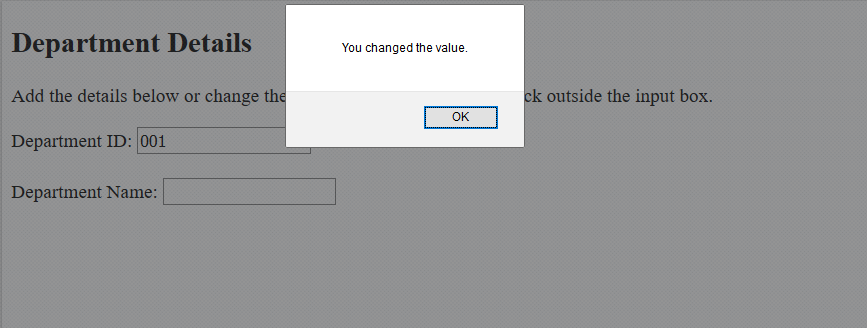
The following is the output,
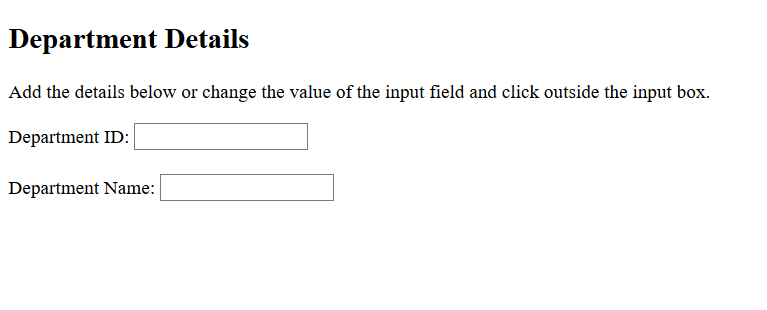
Change the value and click outside to generate an alert box,

No Comments